Change your Pioreactor model
Update a Pioreactor's model from the UI
You can update the model that the software uses for each unit from the Inventory page.
- Navigate to Inventory in the sidebar.
- Locate the Pioreactor you want to configure and open the Model dropdown.
- Pick the correct entry. The change is saved immediately.
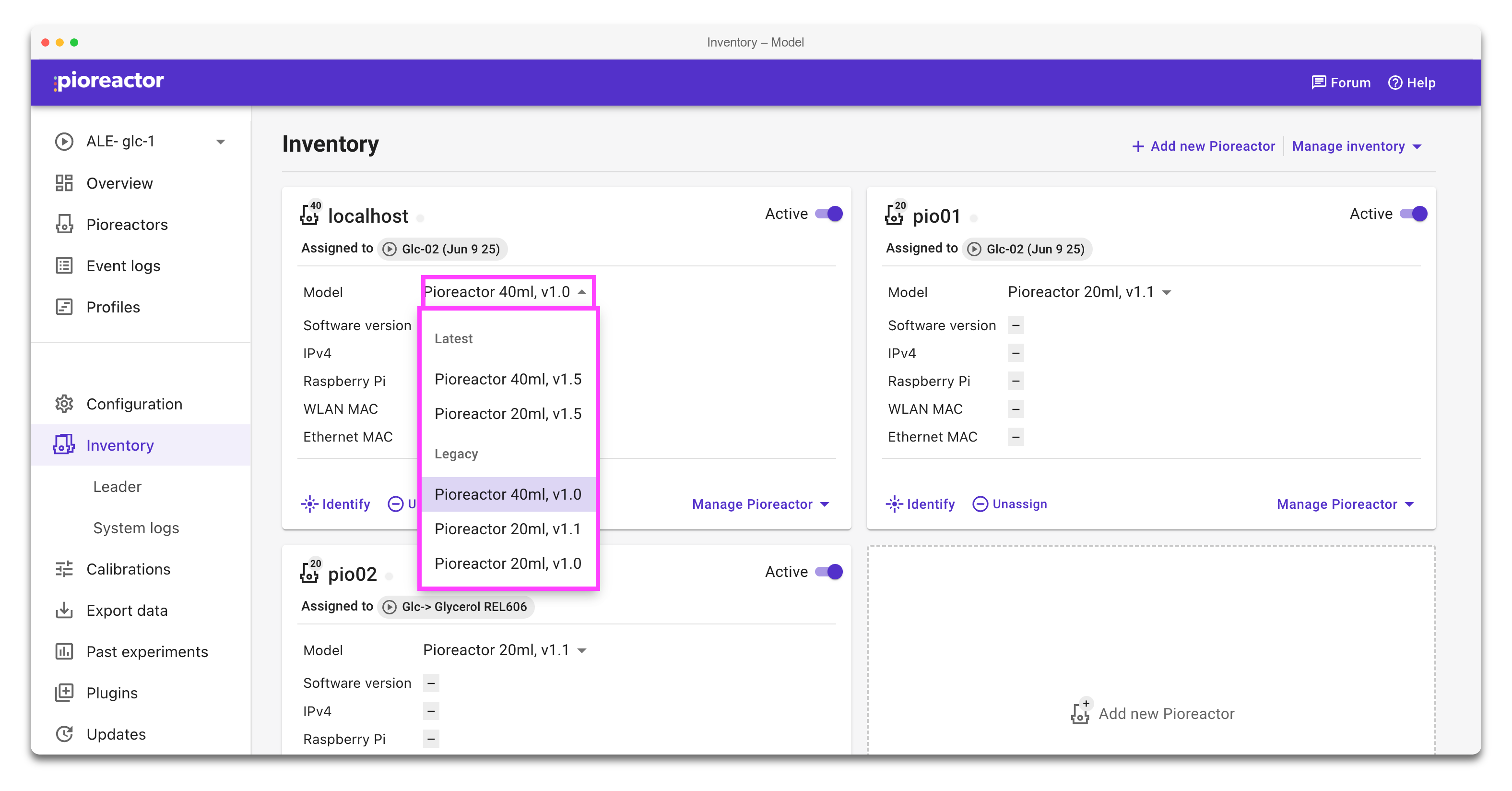
Changes to the model update any UI text, configuration safety limits, and workflows that depend on vessel geometry.
Use a custom model
If you've built your own bioreactor on top of the Pioreactor software, you can describe it with a model YAML file. Once the file is installed, the model appears in the same Model dropdown.
In short, a custom model YAML must be on the leader (so it appears in the dropdown) and on every Pioreactor that will use it. See Custom bioreactor models for the file format, how to install and distribute it, and troubleshooting.